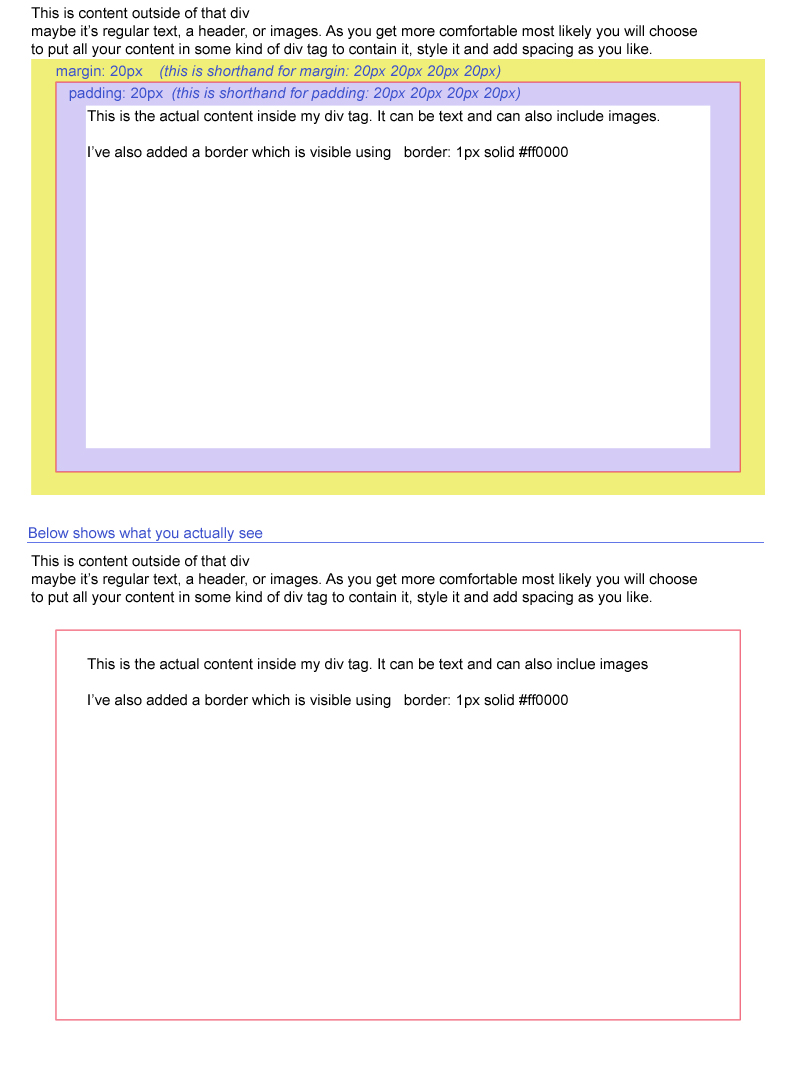
Margin controls the invisible open space on the outside of your divider (div tag)
Padding controls the invisible open space on the inside of your divider (div tag)
Both of these attributes have multiple ways of being assigned. You can use the version that allows you to assign all four values in one attribute.
For example:
Margin: 20px;
Assigns 20px of space one all four sides in clockwise order: Top, Right, Bottom, Left
Margin: 20x 50px;
assigns 20px of space to the top and bottom, and 50px of open space to the left and right
You can also use versions that assign each area separately. Depending on your needs, you want to quickly assign space to just one area.
For example:
Margin-top: 20px;
Margin-right: 20px;
Margin-bottom: 20px;
Margin-left: 20px;
Padding works in the same way as the examples given above.
Note: The padding and margin attribues can be applied at will to other tags too, such as:
This can be tough to visualize at first. Use the diagrams below as a visual guide.